Yiddish Writer
Speak Yiddish and see it written. Turn recordings into text, check every doubtful word by listening, and print it beautifully — all on your own Mac.
£20 a month after the free 14-day trial. Download link goes live with the release.
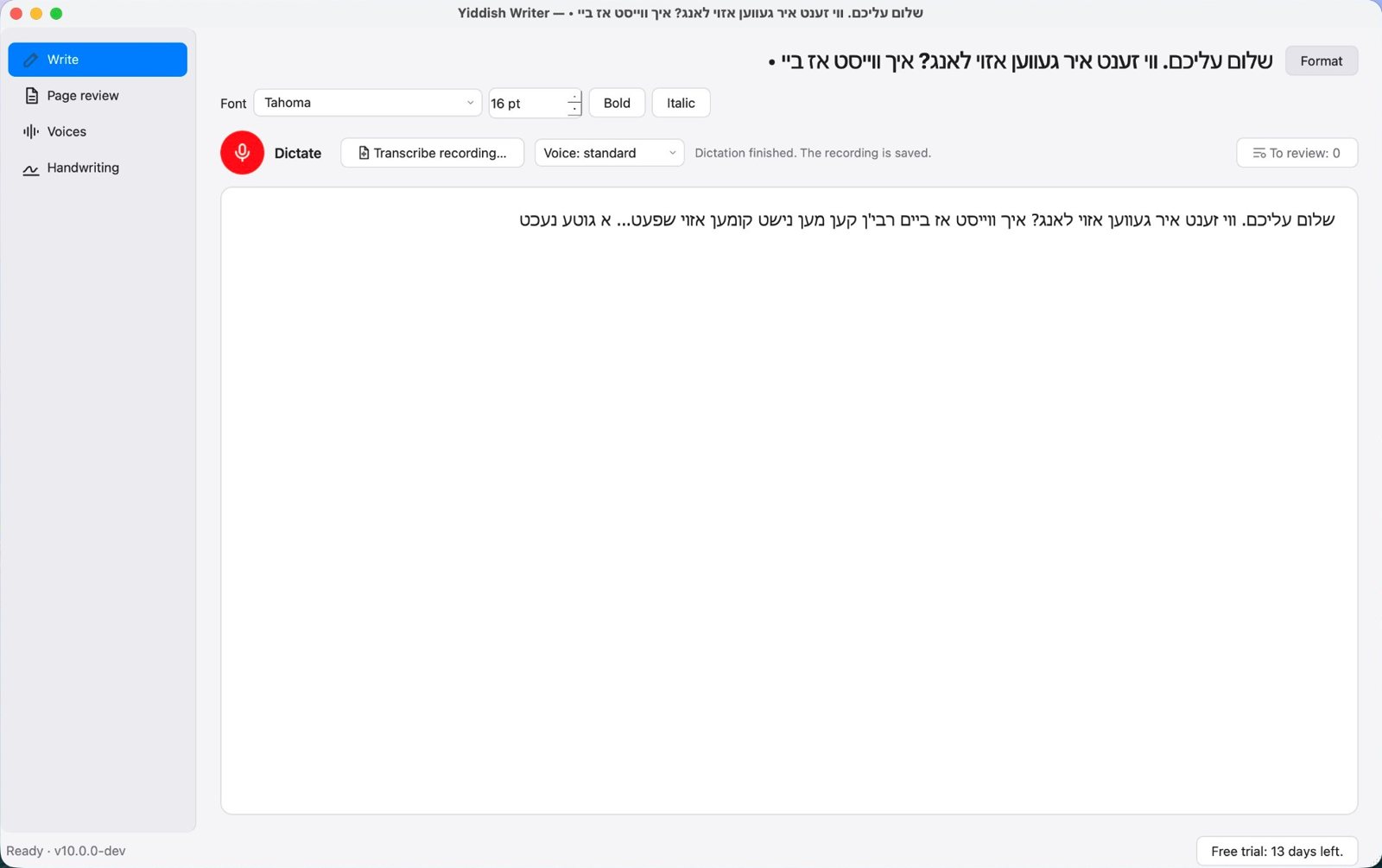
Write: dictate, transcribe a recording, or type.
What it does
Dictate in Yiddish
Press Dictate and speak. The text appears as you go, and the whole recording is kept safely in case you want to listen again.
Transcribe recordings
Open a recording of a shiur or drasha (mp3, m4a, wav and more) and get the text, with a progress bar and Cancel.
Check by listening
Words the program is unsure of are marked for review. Click one to hear exactly what was said, then correct it.
Understands לשון קודש
Quotations from Tanach, Mishnah and Gemara are recognised and suggested in their proper spelling — never changed without asking you.
Pages, booklets, PDF, Word
Eleven ready page layouts plus your own: full pages, two to a sheet, folded booklets. Print, or save as PDF or Word.
Learns each speaker
Every correction teaches the program how that speaker's words should be written, and shows how accurate it is for them.
Reads handwriting
Open a scan of handwritten pages, check the lines, and teach it a particular person's hand so it reads them better each time.
AI Editor (optional)
Clean up a transcript, rewrite a whole speech, or rewrite it in לשון הקודש, using your own Claude or OpenAI account. Your original is never changed, and you see the cost first.
English or Yiddish
The whole program can be shown in English or in Yiddish. Documents are always right to left.
Ready to print
See exactly how your pages will look before printing. Change the layout or text size and the preview follows at once. Booklets are put in the right order for folding.
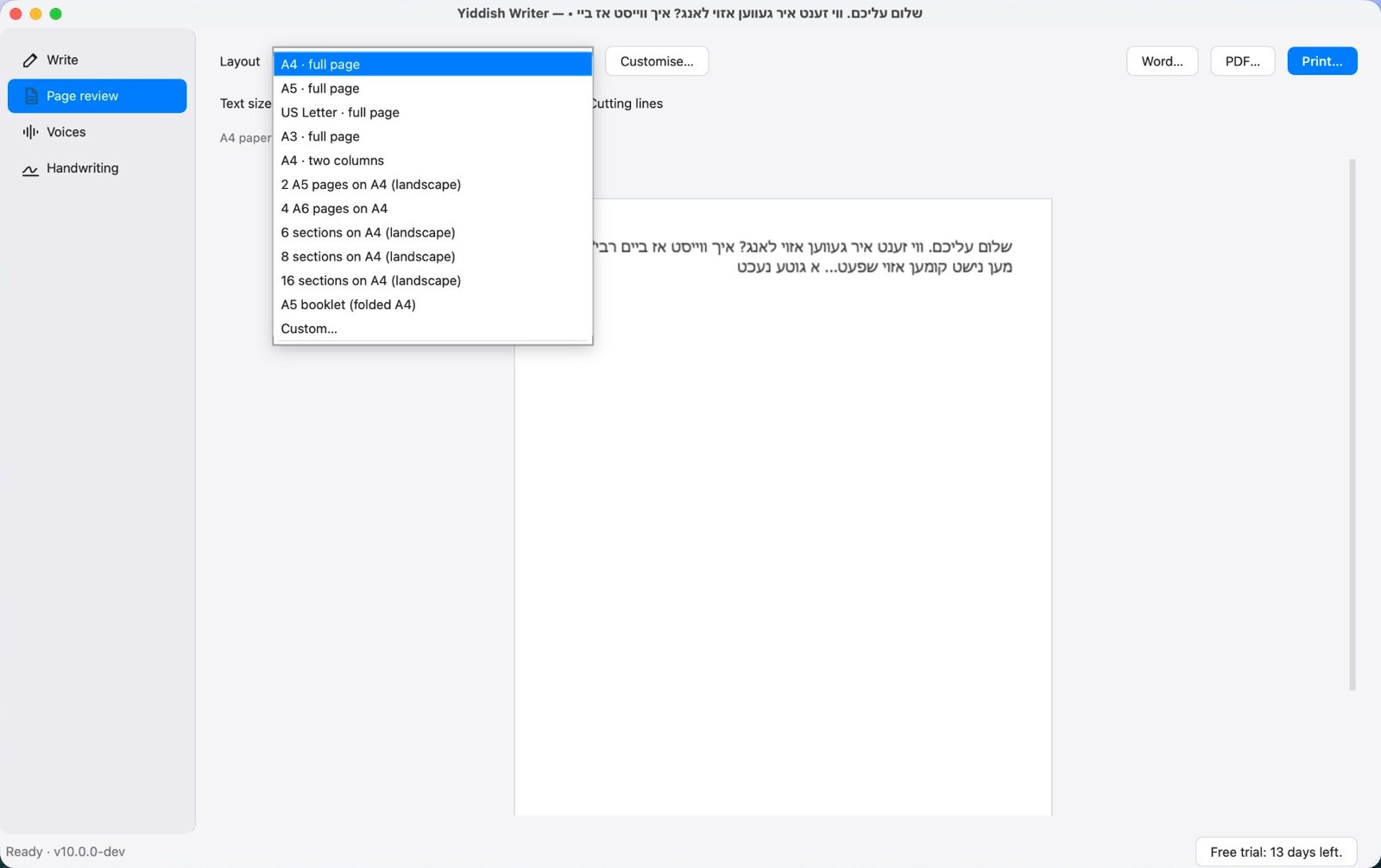
Page review: eleven layouts, or your own.
Works with internet filters
Everything runs on your Mac, so a filter does not slow it down. If your filter blocks the speech model download, we can give you the model as a single file to import. Your subscription keeps working for 14 days without any internet.
What you need
| Computer | A Mac with an Apple chip (M1 or later). Older Macs with Intel chips are not supported. |
|---|---|
| macOS | macOS 14 Sonoma or later. (A free update for every Mac with an Apple chip.) |
| Space | About 3 GB: the program about 1 GB and the Yiddish speech model about 1.6 GB. |
| Microphone | The Mac's own is fine for dictation; not needed for transcribing recordings. |
| Windows | Coming soon from the Microsoft Store. |
Try it free for 14 days
Download it and use every feature for 14 days, no key needed. After that, a subscription keeps it working. If you stop, nothing is lost: your documents still open, print and export. How to buy